

If your Microsoft Outlook is not sending emails, you are not alone. Thousands of users recently reported problems with Outlook and other Microsoft 365 services. The issue caused confusion and frustration, especially for people who depend on email for daily work and communication.
This outage happened shortly after Microsoft claimed it had fixed a similar problem just one day earlier. The repeated disruption raised concerns among users and businesses across different regions.
What Caused the Microsoft Outlook Email Issue?
The problem was part of a wider Microsoft 365 outage that affected multiple services. Microsoft 365 includes popular tools like Outlook, Word, Excel, PowerPoint, Teams, Exchange, and OneDrive.
Reports showed that many users could not send or receive emails through Outlook. Others faced login issues or problems accessing admin tools. Microsoft later explained that part of its service infrastructure in North America was not processing traffic correctly. Because of this, email flow and related services were disrupted.
Even after Microsoft identified the issue, restoring services took several hours. During this time, users continued to report email failures and access problems.
Which Microsoft 365 Services Were Affected?

While Outlook email issues were the most noticeable, other services were also impacted. Below is a simple comparison of the affected areas:
| Microsoft Service | Impact Level | Common User Issues |
|---|---|---|
| Outlook / Exchange | High | Emails not sending or receiving |
| Microsoft 365 Admin Center | Medium | Admin access problems |
| Server Infrastructure | Low | Login and connectivity issues |
For many businesses, Exchange-related problems caused delays in internal and external communication. Missing emails can lead to lost opportunities and slower workflows.
Why This Outage Frustrated Users
What made this situation worse was timing. Just a day earlier, Microsoft had resolved another Microsoft 365 outage. That earlier issue was linked to a possible third-party networking problem and was marked as fixed.
When Outlook email issues appeared again, users started questioning the reliability of cloud-based productivity tools. For companies that rely on Outlook for customer communication, even short downtime can have serious effects.
If you want to learn more about how service downtime affects productivity, you can check our internal guide on managing work during software outages.
How Long Did the Outlook Issue Last?
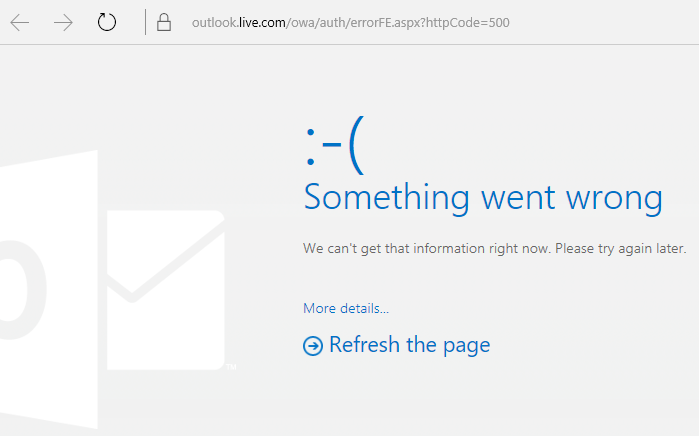
Microsoft shared updates explaining that teams were working to rebalance service traffic and restore systems. However, full recovery did not happen immediately. Even hours after the first reports, some users were still unable to send emails or sign in properly.
This delay highlighted how complex cloud infrastructure issues can be, especially when millions of users are involved.
Final Thoughts
The recent Microsoft Outlook not sending emails issue shows how dependent users have become on cloud services. While Microsoft continues to improve system stability, repeated outages can shake user trust.
For now, the best approach is to stay informed, use backup communication methods when possible, and monitor service updates during outages. As businesses and individuals rely more on Microsoft 365, service reliability will remain a key concern.