
Managing projects can become difficult when tasks, deadlines, and team communication are scattered across different tools. This is where monday.com makes a big difference. It is a modern project management platform designed to help teams organize work, track progress, and collaborate in a simple and visual way.
From startups to large organizations, many teams use monday.com to improve productivity and reduce workflow confusion.
Visual Project Boards for Better Organization
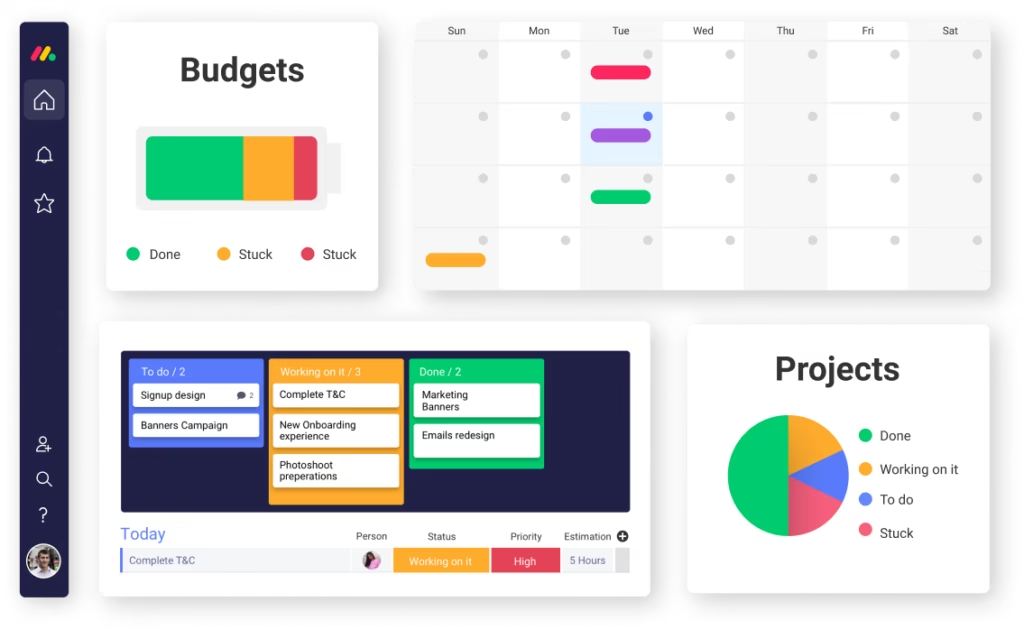
One of the most popular features of monday.com is its visual project boards. These boards allow users to see all tasks in one place. Each task can include deadlines, status updates, assigned members, and files.
The layout is easy to understand, even for beginners. Teams can switch between different views like timeline view, calendar view, or Kanban view depending on their workflow needs.
This visual structure helps teams stay organized and avoid missing important deadlines.
Automation Tools to Save Time
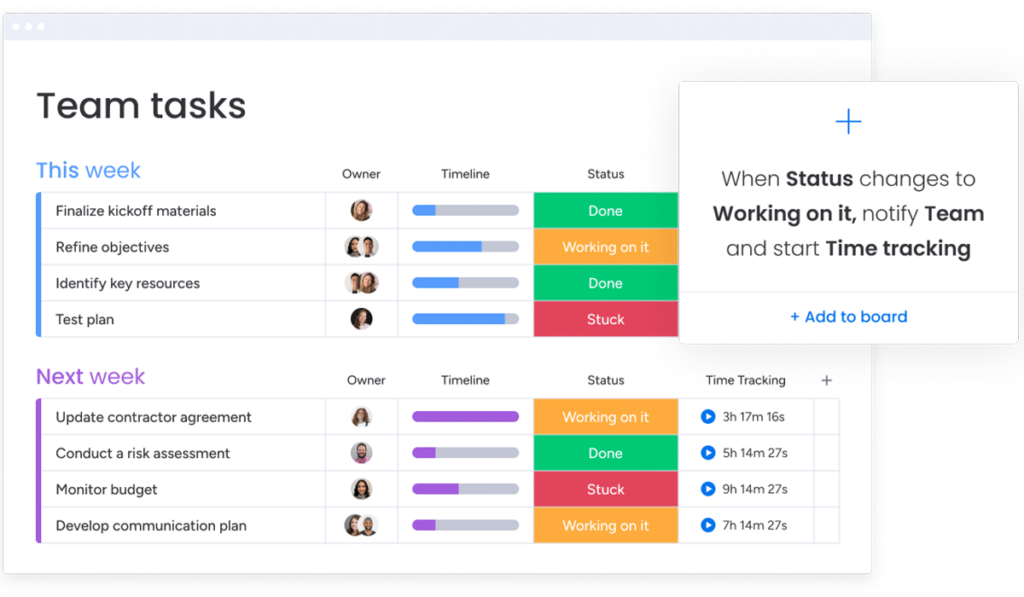
Automation is one of the smartest features in monday.com project management. Teams often repeat the same tasks, such as sending reminders or updating statuses. With automation, these steps can be completed automatically.
For example, when a task status changes to “Done,” the system can notify the manager instantly. This reduces manual work and allows teams to focus on more important tasks.
Automation also improves workflow speed and reduces human errors.
Easy Team Collaboration in One Place
Clear communication is essential for successful projects. monday.com makes collaboration simple by allowing team members to comment directly on tasks, share files, and tag colleagues.
Instead of using multiple apps for communication, everything stays inside the project board. This improves transparency and keeps all updates in one place.
If you want to improve workflow structure, you can also explore our guide on team productivity strategies and task management planning.
Custom Workflows for Different Industries
Another strong feature of monday.com is customization. Every team works differently, and the platform allows users to build workflows based on their needs.
Marketing teams can track campaigns, HR teams can manage recruitment pipelines, and developers can monitor product timelines. This flexibility makes monday.com useful across many industries.
Users can also create dashboards to track performance metrics and project progress in real time.
monday.com vs Other Project Management Platforms
Before choosing a tool, many teams compare features across platforms. Here is a simple comparison:
| Feature | monday.com | Trello | Asana |
|---|---|---|---|
| Visual Layout | Advanced | Basic | Advanced |
| Automation | Strong | Limited | Strong |
| Customization | High | Moderate | High |
| Learning Curve | Easy | Very Easy | Moderate |
| Best For | All team sizes | Small teams | Medium to large teams |
This comparison shows that monday.com offers a balance between simplicity and powerful functionality.
Final Thoughts
monday.com features are designed to make project management smarter and easier. Its visual boards, automation tools, and collaboration options help teams stay organized and productive without making workflows complicated.
For teams looking to improve task tracking and communication, monday.com project management provides a reliable and flexible solution that grows with business needs.