The Samsung Galaxy S26 Ultra red screen issue has become one of the most talked-about topics among Galaxy users. Many owners have noticed that their phone’s display slowly develops a light red or pink tint after a few months of use. While the issue does not affect every device, enough users have reported it to grab Samsung’s attention.
The company has confirmed that it is looking into the problem, but the exact cause is still unknown. If you own the Galaxy S26 Ultra or are planning to buy one, here is everything you should know.
What Is the Samsung Galaxy S26 Ultra Red Screen Issue?
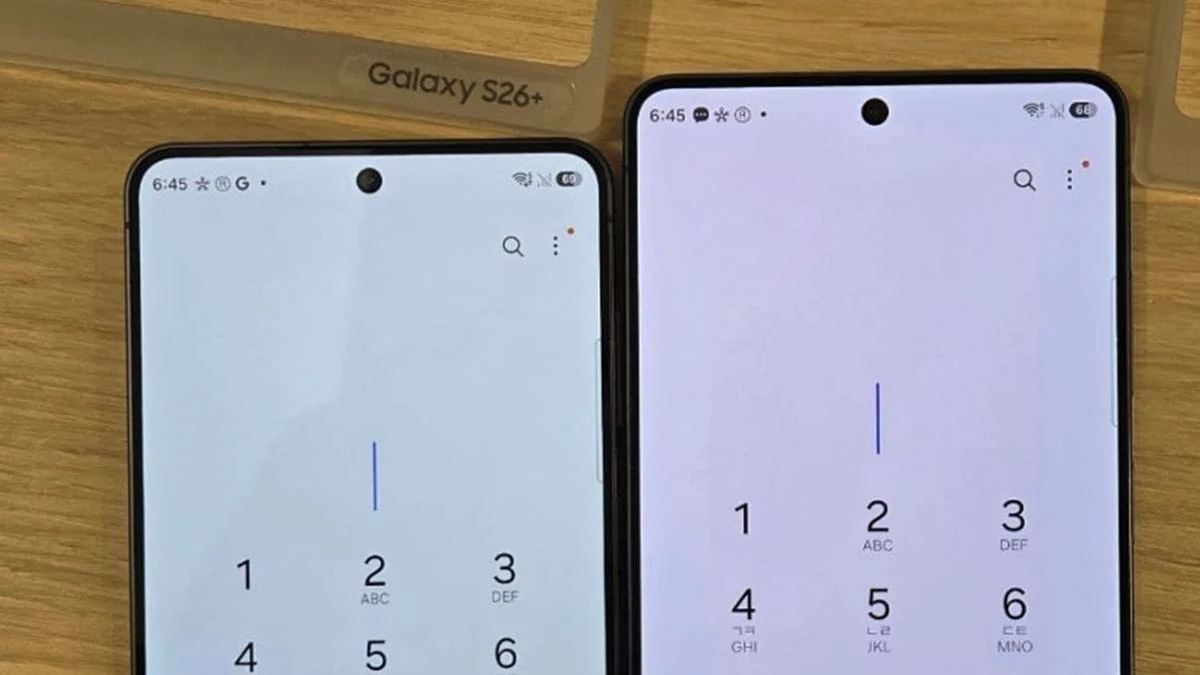
The issue is not a bright red screen or a display failure. Instead, users say the screen slowly changes its color over time. Whites may appear slightly pink, and overall colors can look warmer than they did when the phone was new.
Since the change happens gradually, many users do not notice it immediately. Some only discover it after comparing their device with another Galaxy S26 Ultra or after using the phone for several months.
What Could Be Causing the Problem?
Samsung has not shared the official reason behind the issue. However, there are a few possible explanations being discussed.
Some users believe the new Privacy Display technology may be affecting the screen after long-term use. Others think it could be a software-related color calibration problem or an early sign of display wear. A few people have even suggested it might be linked to the display hardware itself.
At this stage, none of these possibilities have been confirmed by Samsung.
Samsung’s Response
Samsung has acknowledged the reports and said that it is investigating the issue internally. The company is examining affected devices to understand why some displays develop a red tint over time.
Until the investigation is complete, there is no official software update or repair program available for affected users.
Normal Display vs Red Tint Display
| Feature | Normal Galaxy S26 Ultra Display | Display with Red Tint Issue |
|---|---|---|
| Color Accuracy | Natural and balanced | Slight pink or reddish tone |
| White Colors | Bright white | Warm or pinkish white |
| User Experience | Normal viewing | Colors may look different |
| Current Status | Working as expected | Under Samsung investigation |
What Should Galaxy S26 Ultra Users Do?
If your phone is working normally, there is no reason to worry. Continue installing software updates because Samsung may release a fix if the issue is software-related.
If you notice the display becoming red or pink, compare it with another device and take photos if the difference is visible. This can help when contacting Samsung support. You should also keep an eye on future software announcements from the company.
For more helpful guides, check out our articles on Samsung One UI features, Galaxy S26 Ultra camera tips, and common smartphone display problems.
Final Thoughts
The Samsung Galaxy S26 Ultra red screen issue has raised concerns among users, but the full picture is still unclear. Samsung has accepted that the reports are genuine and is working to identify the root cause.
Until an official solution is announced, users should monitor their displays and keep their devices updated. Hopefully, Samsung will provide more information soon and offer a fix if the issue turns out to be widespread.