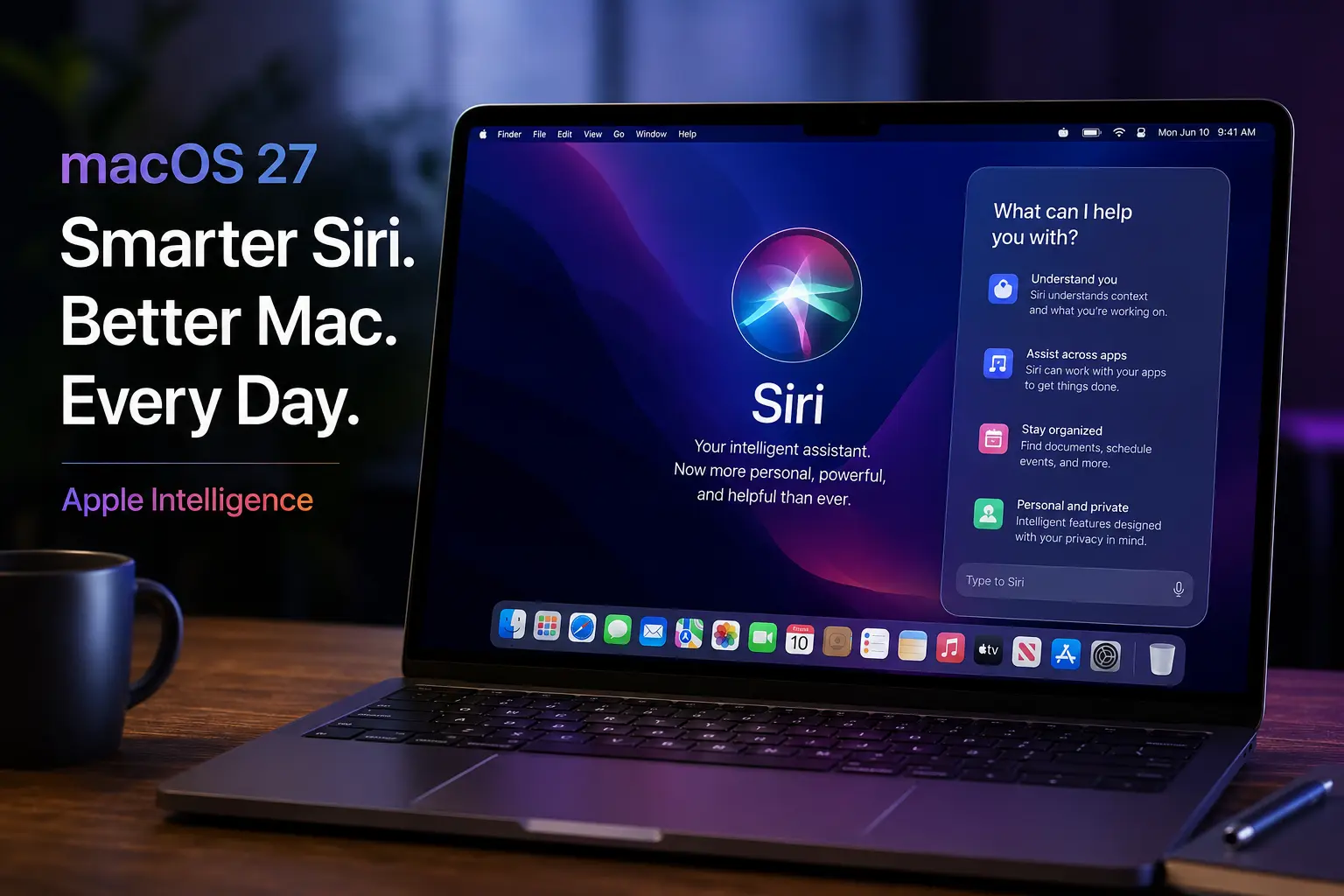
macOS 27 Golden Gate introduces a major change to how Siri works on the Mac: a dedicated Siri app.
Instead of treating Siri only as a voice assistant that appears when you call for it, Apple is giving Mac users a dedicated space to start conversations, revisit previous chats, and continue interactions across supported Apple devices.
The result is a more conversational Siri experience built around Apple Intelligence.
What Is the New Siri App in macOS 27?
The new Siri app acts as a central place for interacting with Siri AI. You can start a new conversation, return to an earlier one, and continue a discussion that began on another supported Apple device.
This is a significant change from the traditional Siri interface, which was designed mainly for short requests such as setting reminders, sending messages, or answering quick questions.
The dedicated app gives Siri a persistent conversation experience. That makes it more useful for tasks that require follow-up questions, additional context, or longer discussions.
What Can Siri AI Do on a Mac?
The new Siri experience is designed to understand more than a single command.
Siri AI can use personal context to help locate relevant information across supported content, including messages, emails, photos, and other information available to the system. It can also answer broader questions, understand what is happening on your screen, and perform actions in supported apps.
For example, instead of manually searching through an old email or photo library, you may be able to describe what you are looking for in natural language.
Apple is also expanding Siri’s ability to work with the apps and information you use throughout the day.
New Siri App vs Traditional Siri

| Feature | Traditional Siri | Siri App in macOS 27 |
|---|---|---|
| Interaction style | Short commands and requests | Ongoing conversations |
| Conversation history | Limited persistent access | Dedicated history and conversation management |
| Cross-device continuity | More task-focused | Conversations can continue across supported devices |
| Personal context | More limited experience | Expanded context awareness through Siri AI |
| App experience | Assistant interface | Dedicated Siri application |
The biggest difference is continuity. The new app is designed for situations where one question leads to another instead of treating every request as a separate interaction.
Who Can Use the macOS 27 Siri App?
The new Siri AI experience requires compatible hardware and Apple Intelligence support. Apple has announced support for Mac models with M1 or later, along with MacBook Neo.
Availability also depends on language and regional rollout. Apple plans to introduce Siri AI in English first before expanding support further.
Because macOS 27 is still part of Apple’s rollout cycle, some features and availability details may change before or after the final release.
Why the New Siri App Matters
The dedicated Siri app shows Apple moving Siri closer to a full conversational AI assistant while keeping it connected to the wider Apple ecosystem.
Its main advantage is not simply having another chatbot on your Mac. The more important change is the combination of conversation history, personal context, screen awareness, and actions across supported apps.
For Mac users, that could make Siri more useful for finding information, continuing work, and handling multi-step requests without repeatedly starting from scratch.
Frequently Asked Questions
Is there a dedicated Siri app in macOS 27?
Yes. macOS 27 introduces a dedicated Siri app that allows users to start and revisit conversations.
Can Siri conversations continue across Apple devices?
Yes. The new Siri experience is designed to sync conversation history across supported Apple devices.
Does the new Siri app require a newer Mac?
Yes. Siri AI requires compatible Apple Intelligence hardware, including Macs with M1 or later.
Is the new Siri app the same as the old Siri interface?
No. The new app adds a persistent, conversational interface alongside broader Siri AI capabilities.
The biggest change in macOS 27 is not simply a new Siri icon in the Dock. It is a shift toward a more conversational assistant that can better understand context, connect information, and help users continue tasks across their Apple devices.